Stop losing installs between departments.
Daylight connects your CRM, scheduling, field service, and ad platforms into one view — so no lead, install, or follow-up falls through the cracks.
Built for solar installers. Expanding to roofing, HVAC, and home services.
Pipeline — October
Updated 2 min ago
Stalled: Ortiz install #4821
Permit approved 9 days ago — no crew scheduled. Escalated to ops.
Your tools don't talk to each other.
Leads fall through the cracks
A lead comes in from Google Ads. It sits in your CRM for 3 days. Nobody follows up. That's $30K gone.
Installs get delayed
Permit approved Tuesday. Crew not scheduled until next month. The customer calls twice. Then leaves a 1-star review.
You can't see what's working
You spend $50K/month on ads but can't tell which campaigns produce completed installs vs. which just produce leads that go nowhere.
Daylight connects everything.
One platform that sits on top of your existing tools — CRM, scheduling, field service, email, phone, ad platforms. Nothing to replace. Nothing to install.
Live in hours, not months
Connect your tools via OAuth. Daylight starts monitoring within the same day.
Zero disruption
Your team keeps using the tools they already know. Daylight works invisibly in the background.
Built for solar
Default thresholds, stage definitions, and workflows designed specifically for solar installation companies.
What Daylight does
Lifecycle Monitor
Tracks every job from lead to install to review. Flags when anything stalls between departments.
Risk Scoring
Predicts which installs will be delayed, which customers will churn, and which deals will fall through.
Intervention Engine
Auto-sends follow-ups, escalates to managers, and adjusts schedules before the customer notices.
Source-to-Install Attribution
Finally know which ad campaigns, call center reps, and referral sources actually produce completed installs — not just leads.
Ops Dashboard
One screen. Every department. Real-time. Designed for owners checking from their phone at 6am.
See it live.
Real screens, from a live Daylight account.
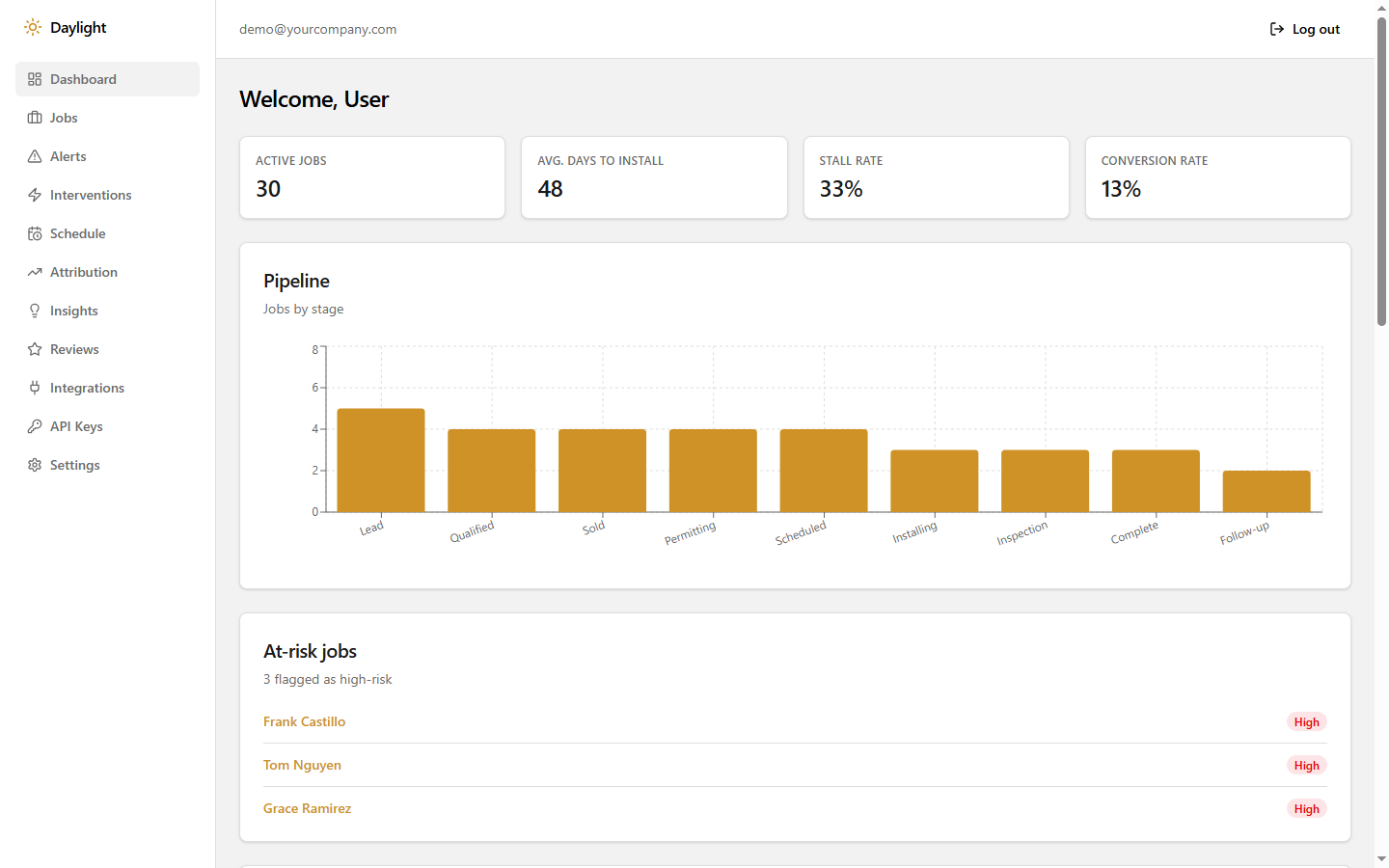
Dashboard
One screen, every stage of the pipeline.
Active jobs, stall rate, and conversion rate up top. A live funnel by stage below it. At-risk jobs ranked by score, so you know exactly who to call first.
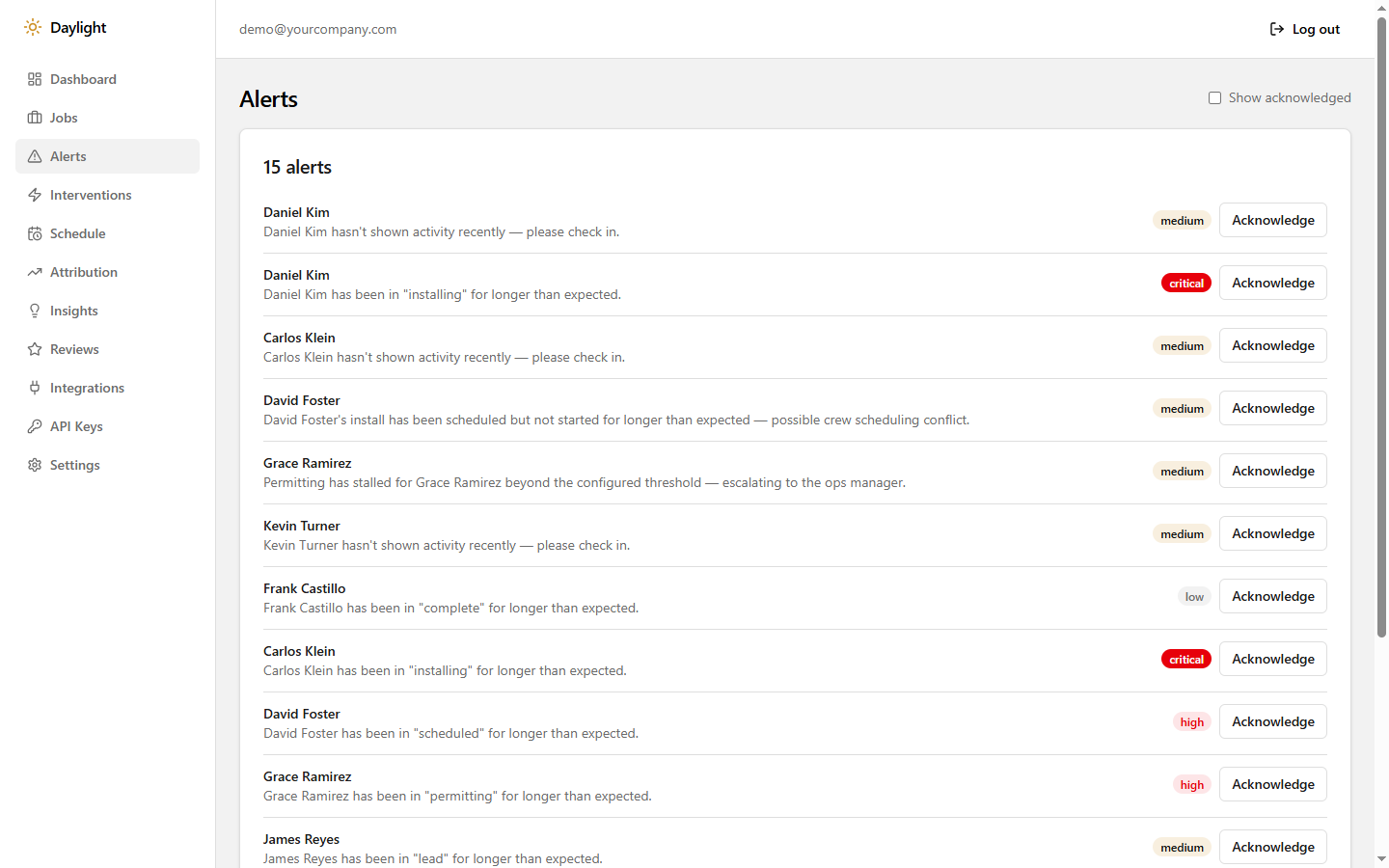
Alerts
It tells you before the customer has to.
Every stalled job becomes a specific, actionable alert — who, what stage, how long, how urgent. Nothing waits for someone to notice.
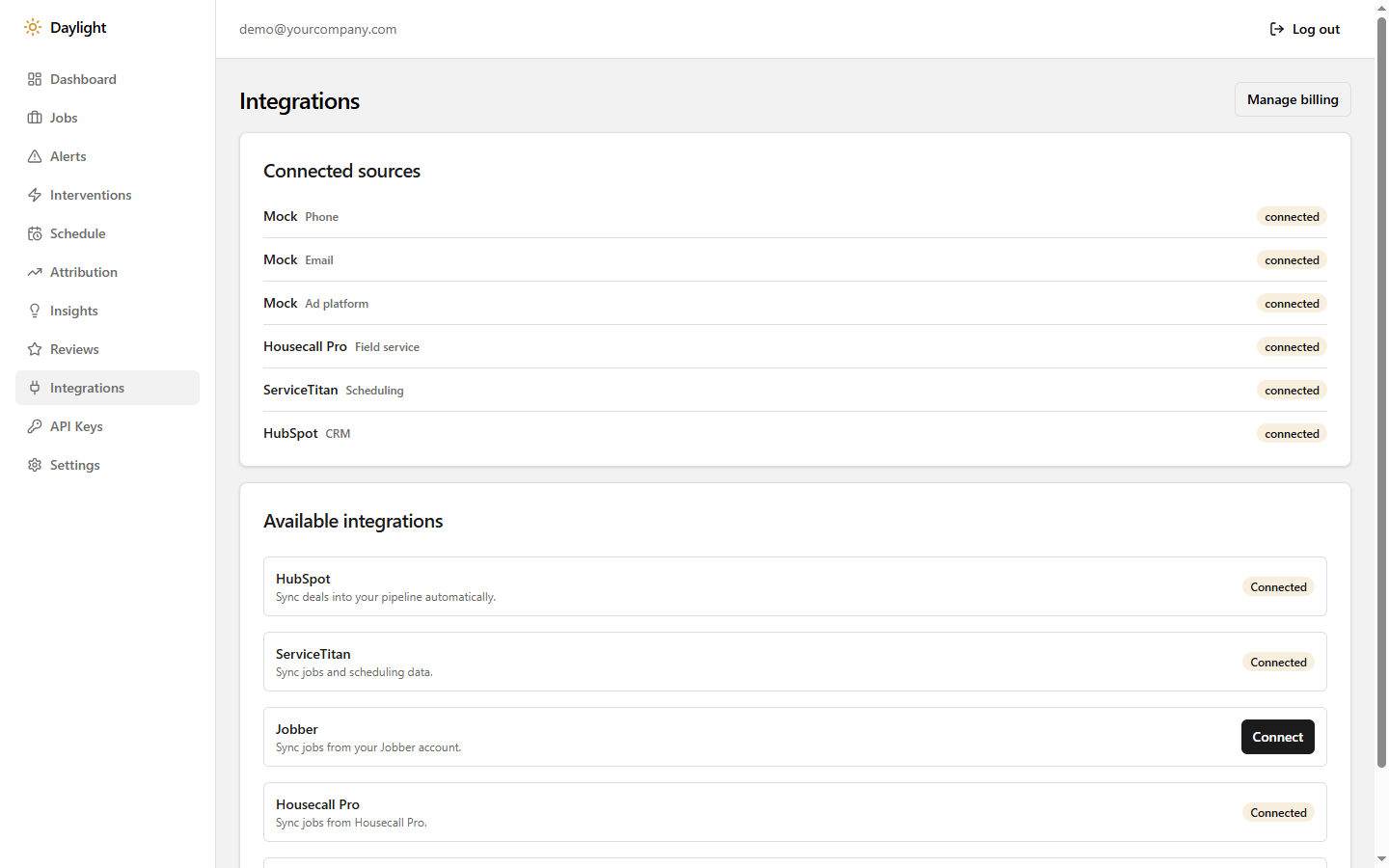
Integrations
Connect your stack in a couple clicks.
HubSpot, ServiceTitan, Housecall Pro, Jobber — self-serve OAuth, no implementation call required. Your existing tools keep running exactly as they are.
Happy customers, on record.
The moment a job lands in "complete," Daylight asks the customer for a review while the work is still fresh — not three weeks later when nobody remembers the crew's name. More 5-star reviews, zero manual chasing.
Example review notification
Marcus J. — install #7204
"Crew was on time, permit and inspection were both faster than I expected, and they actually followed up after. Would recommend."
Requested 2 hours after install · Google
The math is simple.
3–5%
of installs lost to handoff gaps at scaling companies
$1M+
annual revenue left on the table for a $50M installer
<$500/mo
to close the gaps that cost 100x that
If one stalled install costs you $30K, Daylight pays for itself the first week.
Up and running in 3 steps
Connect your tools
Link your CRM, scheduling platform, and ad accounts via secure OAuth. Takes 10 minutes.
See your blind spots
Daylight maps your pipeline and immediately flags stalled jobs, missed follow-ups, and communication gaps.
Start recovering revenue
Automated interventions, real-time alerts, and source attribution that shows you exactly where your money is going.
Simple pricing. Cancel anytime.
Every plan includes a 14-day free trial.
Starter
$500/mo
One avoided $30K stall pays for 60 months of Starter.
- Up to 15 jobs/month
- 2 integration connections
- Lifecycle monitoring & alerts
- Basic ops dashboard
- Email support
Growth
$1,000/mo
One avoided $30K stall pays for 30 months of Growth.
- Up to 50 jobs/month
- Unlimited integrations
- Full source-to-install attribution
- Risk scoring
- Intervention engine
- Priority support
Scale
Most Popular$1,500/mo
One avoided $30K stall pays for 20 months of Scale.
- Unlimited jobs
- Everything in Growth
- Pattern engine & weekly AI insights
- Custom intervention rules
- Schedule optimizer
- Dedicated onboarding
Partnership
Powered by Common:Denominator
Custom
- Everything in Scale
- Two dedicated senior consultants assigned to your account
- On-site visits and embedded operations support
- Custom-built automations and integrations
- Custom mobile app development, on request
- Full AI operations strategy across every department
- Monthly ROI reporting
For companies that want a team, not just a tool.
Frequently asked questions
What is Daylight?
Daylight is an operations layer that connects your CRM, scheduling, field service, and ad platforms into one view — tracking every job from lead to install to review and flagging stalls between departments before they cost you the sale.
Does Daylight replace my CRM or scheduling software?
No. Daylight connects to the tools you already use via OAuth — nothing to rip out, nothing new for your team to learn.
How long does setup take?
Most teams connect their tools and are live with monitoring the same day.
What does Daylight cost?
Plans start at $500/month for up to 15 jobs and scale to $1,500/month for unlimited jobs with the full feature set. A custom Partnership tier is available for teams that want dedicated consulting support.
Is there a free trial?
Yes — every paid plan includes a 14-day free trial. A card is required to start, and you won't be charged if you cancel before the trial ends.
What industries does Daylight support?
Daylight is built for solar installation companies today, and is expanding to roofing, HVAC, and other home services.
Built by operators, not just engineers.
Piotr Gliwinski
Strategy & Operations Advisor
Co-Founder & CEO of ExpertSender. Former Managing Director of GetResponse. 30+ years in enterprise consulting, marketing automation, and operational strategy.
Chris Drazek
AI Implementation & Operations
20+ years in CRM, marketing automation and customer acquisition. Founder of Common:Denominator.
Your next 5-star review is one completed install away.
Daylight keeps every job moving so it actually gets there — and follows up automatically when it does. Every day it's not running is revenue walking out the door instead.